
Master Limo Booking Approval Process for Operators
Master Limo Booking Approval Process for Operators

Limo operators can save up to 20 hours weekly just by automating their booking workflow. Manual processes cause delays, errors, and client frustration. With smart rules and clear roles in your dispatch system, you create fast, reliable workflows that keep customers happy and operations smooth.
Quick Summary
| Key Point | Explanation |
|---|---|
| Smart Approval Rules | Automate booking approvals to reduce manual work. |
| User Roles | Set precise permissions for staff to maintain security. |
| Efficient Review | Prioritize incoming bookings for faster service. |
| Prompt Decisions | Use clear criteria for quick approvals or rejections. |
| Booking Verification | Confirm all booking alerts and status updates. |
Step 1: Set Up Approval Rules in Dispatch Software
Smart approval rules save hours and prevent mistakes. Define criteria like client history or route type to auto-approve standard jobs while flagging complex ones for review. Always test new rules before activating them.
Pro Tip: Start with recurring clients and airport transfers for safe automation testing.
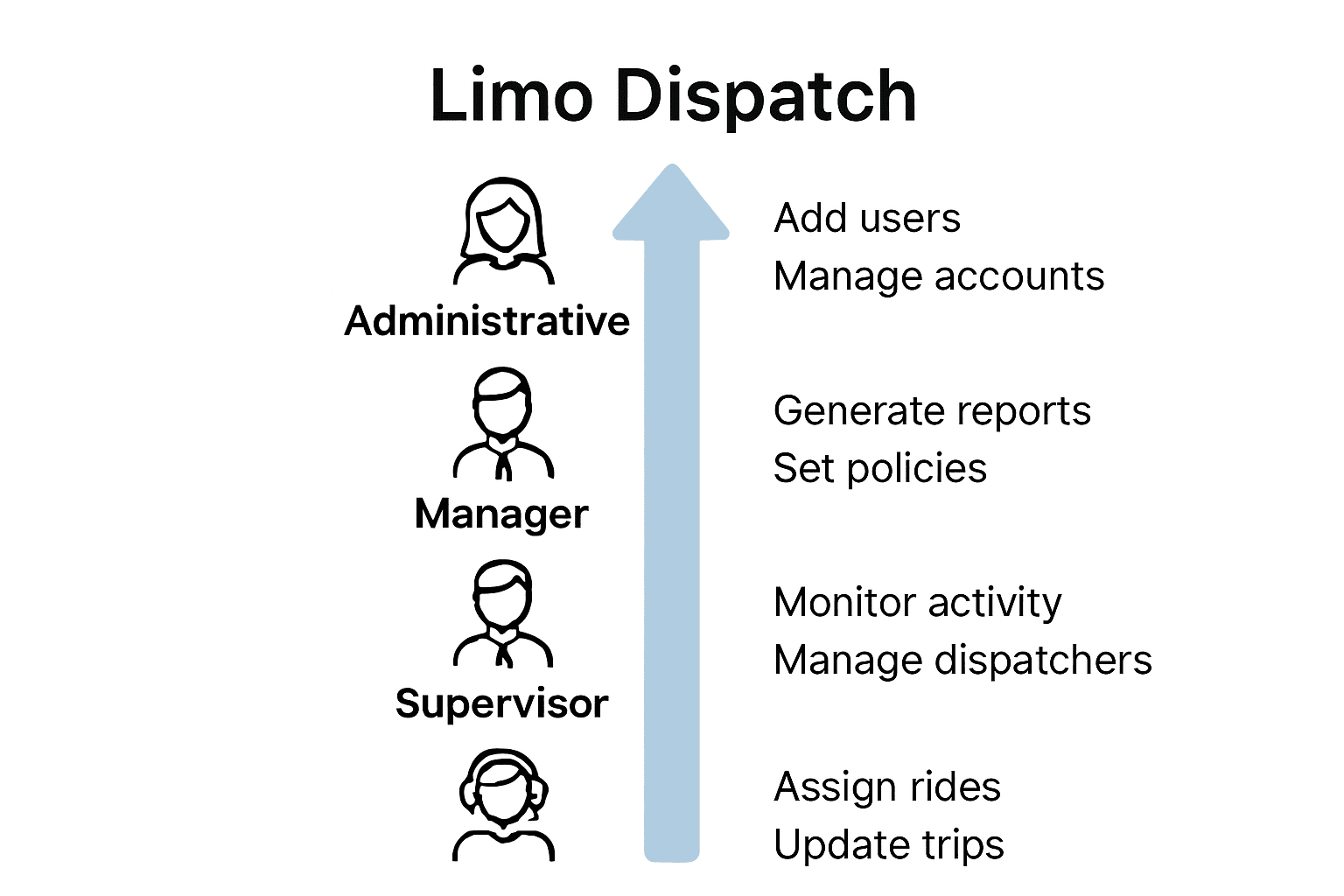
Step 2: Configure User Roles and Permissions
Each team member needs access tailored to their role. Dispatchers can edit bookings but not prices; supervisors can manage reports; managers handle full configuration. Follow the principle of least privilege to reduce risk.
Step 3: Review Incoming Limo Booking Requests
Use your dispatch dashboard to scan pending requests. Sort by urgency, client type, and route. Confirm driver and vehicle availability before approving. A quick triage process keeps operations smooth.
Pro Tip: Categorize bookings as “Immediate Approval,” “Needs Review,” or “Verify.”
Step 4: Approve or Reject Bookings Efficiently
For routine bookings, approve instantly. For special cases, verify all details first. When rejecting, explain why so clients can rebook properly. Clear communication improves relationships and reduces confusion.
Step 5: Verify Confirmation and Booking Status
Check that all approvals trigger proper notifications and live dashboard updates. Confirm that driver assignments, vehicle details, and ETAs are accurate. Track live booking status from approval to completion.
Pro Tip: Cross-check dashboard updates with real-world performance daily.
Run a Smarter, Faster Limo Operation
Stop wasting hours on manual approvals. Modern dispatch software gives you automated rules, live updates, and instant confirmations. Explore ElevateCodedigital’s Limo Dispatch Software to see how automation simplifies bookings and improves your response time.
FAQs
How do I set up approval rules?
Go to your software’s admin settings and define parameters like client history or route to enable auto-approval.
What user roles are essential?
Dispatchers, supervisors, managers, and admin staff—all with customized access rights.
How can I review incoming requests efficiently?
Use the dashboard’s filters to prioritize urgent or high-value bookings first.
How should I approve or reject bookings?
Approve standard requests instantly; give clear reasons for rejections to maintain professionalism.
How do I verify booking confirmations?
Ensure automated notifications go to both clients and drivers and check live status updates.
Article generated by BabyLoveGrowth

Comments
Post a Comment